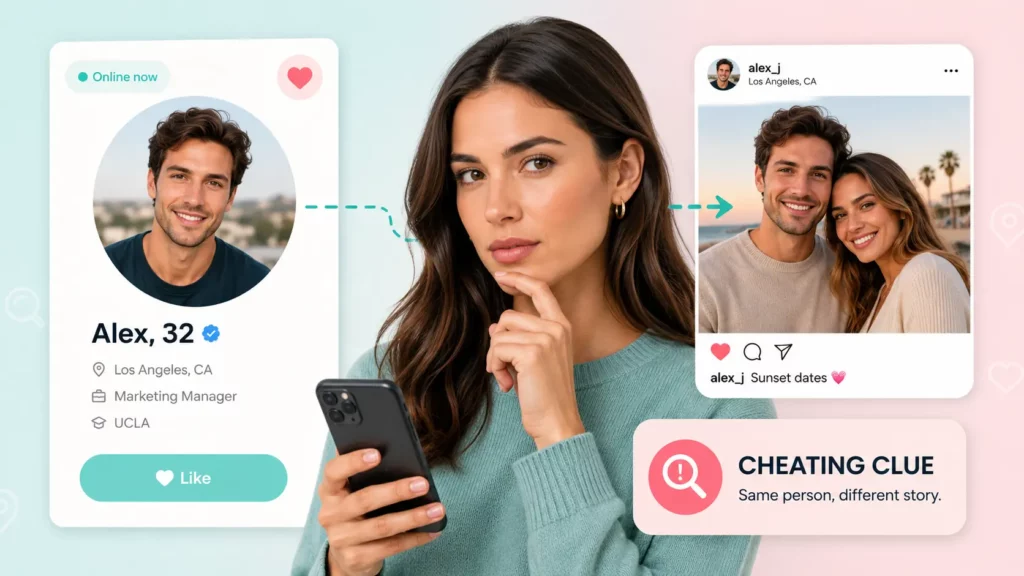
Zoosk’s help center lists four ways to discover members: Search, SmartPick, Carousel, and Online Now. None of them lets you type a name.
That catches most people off guard during their first Zoosk profile search. You remember a name, or a match vanishes mid-chat, and the search bar you expected isn’t there.
This guide shows how to find someone on Zoosk with the tools the app gives you. It also covers what to do when those tools run out: tracing a profile from a phone number, email address, or photo.
How to Find Someone on Zoosk
When your Zoosk profile search stalls, work backward from the detail you already have. Outside lookup tools search public and online sources instead of Zoosk’s member list.

Search by Phone Number
A phone number is often the most direct lead. A phone lookup can return linked names, usernames, social and dating profiles, and past addresses when that data exists. No tool can promise a Zoosk match for every number. Some lookups also show spam or scam reports, which helps when a new match feels off.
Search by Email Address
If you want a Zoosk search email option, there isn’t one in the app. An email lookup has to happen outside Zoosk. It searches for publicly available details tied to an address, such as names, phone numbers, and social or professional profiles. This guide explains how to search dating sites by email step by step.
Search by Photo
A profile photo is the detail you almost always have. Reverse image search finds copies of a file, but face search matches the face itself. That lets it connect different photos of the same person, even after a new haircut or angle. A clear, front-facing image gives the best match.
How the Lookup Works, Step by Step
Once you have a number, email, or photo, getting from detail to answer takes four steps with Searqle. The platform searches publicly available and online sources for what you enter and organizes the findings into one report. Depending on available data, that report may include a name, age, aliases, linked social and dating profiles, photos, and past addresses.
- Pick the lookup that matches your detail: Phone Lookup, Email Lookup, or Image Lookup.
- Enter the number or address, or upload a photo or paste a direct image URL.
- Open the report and review the names, profiles, and photos it returns.
- Check any match against a second detail before you message, meet, or block the person.
Photo searches are private, and the person in the picture is not notified. You finish with a report that may show who the profile belongs to and where else they appear online.
Can You Find Someone on Zoosk by Name
No. Zoosk does not offer name or username search, so a Zoosk search by name returns nothing.
Think of the Zoosk search engine as a filter, not a directory. It shows members who match your age, distance, and lifestyle settings. Zoosk is a dating platform, not a Zoosk people search tool, and it will not return one specific person on demand.
| What you want to do | Possible on Zoosk? | Where |
|---|---|---|
| Search by name or display name | No | Not offered |
| Search by username | No | Not offered |
| Search by email or phone number | No | Not listed in Zoosk’s help pages |
| Browse by age, distance, and lifestyle filters | Yes | Search tab |
| Pull up someone you already matched with | Yes | Connections tab |
Say a match gave you a phone number before their profile dropped out of your results. Filters cannot bring that person back. Searqle’s Phone Lookup checks the number against publicly available sources for linked names, usernames, and profiles. Depending on available data, the report may show social and dating profiles and past addresses.
How to Search for Someone on Zoosk for Free
To find someone on Zoosk from inside the app, you search by traits, not by name. Work through these steps in order.
- Open Search and pick a view. Card view shows one member at a time. Grid view shows several, each with photo, name, age, and sometimes shared interests. A green dot marks anyone online, and some Zoosk help pages call this layout Explore.
- Set your filters. Start with age and distance. Zoosk’s advanced search adds religion, body type, smoking, height, kids, and education, and you can save a search for later.
- Open Online Now. To search Zoosk members who are active right now, use this page. It is also the quickest check that a profile is live.
- Try Carousel and SmartPick. Carousel shows a quick snapshot to rate and can include members slightly outside your filters. SmartPick introduces members it expects to be compatible, based on your profile and activity.
- Check Connections. It is the only place to pull up a specific member, and it only holds people you already matched with.
Each route has a limit. Even Zoosk advanced search only narrows by traits, and your filters decide who appears. A member outside your age or distance range may never show up. Messaging from Online Now or Grid view also requires a Zoosk+ Membership.
Zoosk Search vs. Outside Lookup Tools: How They Compare
Which route fits depends on what you already know when you need to find someone on Zoosk. This table compares the Zoosk search engine with two lookup services.
| Criteria | Searqle | Zoosk in-app Search | Social Catfish |
|---|---|---|---|
| Phone number lookup | Yes | No | Yes |
| Email lookup | Yes | No | Yes |
| Photo search with facial recognition | Yes | No | Yes |
| Works without a Zoosk account | Yes | No | Yes |
| Person is notified of your photo search | No | Not available | Not stated |
If your goal is to confirm who someone is before a first date, you need a search that starts from a detail Zoosk cannot filter by. Searqle fits that job because one platform covers phone, email, and photo. Social Catfish covers the same inputs, so compare what each report returns for your specific detail.
Searqle works best when you hold one concrete detail and need to verify an identity. Its Image Lookup uses facial recognition, so it can connect different photos of the same person and help flag duplicate dating profiles. Phone Lookup may also surface spam and scam reports. None of it needs a Zoosk account. It suits online daters vetting a match, people reconnecting with someone, and anyone checking a contact who feels off.
How to Tell If a Zoosk Profile Is Real
Finding the profile is half the job. Once you find someone on Zoosk, check the profile before you reply or share personal details.
- Count the photos. Scammers usually stick to one or two stolen images, so a single polished photo deserves a closer look.
- Run the main photo through a face search. The same face under two names on different dating apps is a clear catfish signal.
- Test the contact details. If the person offers a phone number or email, look it up and see whether the name, photos, and any scam reports line up.
- Treat an empty result with care. A polished headshot that returns no matches anywhere can mean the image is AI-generated.
If someone has stopped replying or blocked you, do not use a lookup to contact them again.
Zoosk Profile Search FAQ
No. Zoosk requires an account before you can search, according to Social Catfish. Outside lookups by phone, email, or photo do not need a Zoosk account.
No. There is no username search on Zoosk, and display names are not searchable either. Connections is the one exception, and it only lists members you already matched with.
Open Online Now. Zoosk lists members who are active right now, and a green dot in Grid view marks anyone online.
Not from Online Now or Grid view. Zoosk’s help pages say messaging from both requires a Zoosk+ Membership.
Looking up public information is generally legal in the US. Searqle reports cannot be used for hiring, tenant screening, credit, or insurance decisions under the FCRA.
Conclusion
To find someone on Zoosk, start with the app’s own tools, then bring in a lookup when filters fall short. A Zoosk profile search works best when you use both.
When you have a number, email, or photo but no way to confirm who it belongs to, run it through Searqle. The lookup checks publicly available sources and returns a report that may list linked profiles, names, and photos. That gives you enough to decide whether to message, meet, or move on.
The same approach works on other apps. Here is how to find someone’s Tinder profile using the same kinds of details.