
Getting a text from a random number can be super annoying – and honestly, a bit unsettling. Is it just a harmless wrong number, or something sketchy? Do you reply and take the risk, or ignore it and keep wondering?
So, how do you solve the mystery, find out who’s texting me, and protect yourself at the same time? This guide will show you exactly what to do when you get a message from an unknown sender, helping you spot red flags and keep your info safe.
How to Find Out Who Sent a Text Message
When you get a text from an unknown sender, your first steps are super important. Acting without thinking could put your security at risk. Here’s a quick process to handle it safely:
- Don’t interact with the message. Avoid clicking links, downloading attachments, or calling any numbers included in it.
- Don’t reply right away. Sending something like “Who is this?” just confirms your number is real and being monitored, which is useful info for spammers.
- Take a closer look at the message. Watch out for generic greetings, urgent requests, or typos – classic signs of bots or mass-text campaigns.
- Copy the number. Press and hold the message to grab the sender’s digits without calling them.
Do a quick search. Paste the number into Google or a lookup tool to see if others have reported it.
Verify the Number with Searqle
One of the most direct methods to answer “who’s texting me from this number” is using data aggregation tools like Searqle. These services will help you to parse through public records and telecommunications databases to link phone numbers with identities.
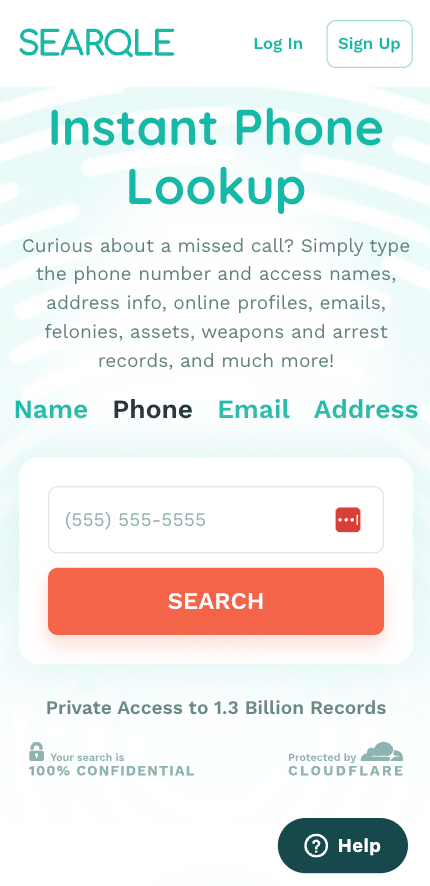
When you get a text from an unknown number, a regular search engine might not give you the answers you need. That’s where Searqle comes in. It runs a reverse phone lookup, taking the number you provide and matching it with massive datasets like social media profiles, public directories, and carrier info.
The type of data this service may reveal includes:
- The owner’s full name: identifying the specific individual registered to the SIM card.
- Location data: The city, state, or specific address associated with the account.
Carrier information: Knowing whether the text came from a mobile carrier or a VoIP (Voice over IP) service can indicate if it’s a real person or a computer-generated number.
Reasons You’re Receiving Texts from Unknown Numbers
Getting a text from an unknown number doesn’t always mean there’s something to worry about. Figuring out the reason behind the message can help you decide how to respond. Usually, these texts fall into four main categories.
Mistyped Numbers
Human error happens all the time. Someone might be texting a friend, a contractor, or a family member and accidentally mix up two digits. These messages usually come across as casual and conversational, without the urgent, generic tone of a typical scam.
Spam and Marketing
Aggressive marketing campaigns often buy lists of phone numbers to blast out discount codes or product announcements. While annoying, they are usually trying to sell you something rather than steal from you.
Fraud and Phishing AttemptsThis is the most dangerous category. Scammers use “smishing” (SMS phishing) to trick you. They might pose as the IRS, Amazon, or Netflix, claiming there is a problem with your account. Their goal is to induce panic so you hand over credit card details or login credentials. They rely on you asking “who is this number texting me” and engaging with them out of confusion.
Dangers of Responding to Unknown Text Messages
While you might think it’s polite to reply with “Wrong number,” it’s actually safer to just ignore it. Replying lets scammers know your number is active, which can open you up to a flood of spam. It also gives them a chance to try and trick you into sharing personal information. Some scams, like “pig butchering,” even start with a fake “wrong number” text to gain your trust before conning you into a fake investment. Never click on any links they send either, as it could install malware on your device. The best thing to do? Delete and ignore.
How to Find Out Who Texted You from an Unknown Number
If you are determined to find out who sent a text message before you block them, there are several investigative techniques you can employ.
Search Engines
The easiest first step is to type the number into Google, Bing, or Yahoo. Try different formats like “555-0199,” “(555) 019-9999,” or “5550199999.” If it’s linked to a business or a reported scammer, chances are it’ll show up in the first few search results on consumer complaint sites.
Phone Number Lookup Tools
As mentioned regarding Searqle, specialized reverse lookup tools generally offer more depth than a standard web search. They can access records that aren’t indexed by Google. While many users search for “who is texting me find out for free,” be aware that completely free services often have limited data or outdated databases. Premium reports tend to offer the most accurate ownership details.
Social Media Platforms
People often link their mobile numbers to their social media profiles.
- Facebook: Though search functionality has changed, sometimes typing a number into the search bar reveals a profile or a marketplace listing associated with that contact.
- WhatsApp: Add the unknown number to your contacts under a fake name (like “Mystery Caller”). Open WhatsApp and look at their profile. You can often see their profile picture, status, and username, which usually confirms who is texting me immediately.
- LinkedIn: Professionals sometimes include their cell numbers in their contact info. This is useful for identifying business-related cold texts.
Message Content Analysis
Analyze the text itself. Copy a distinctive phrase from the message and search for it in quotes. Scammers often reuse the exact same scripts. If your search returns results about a specific “USPS delivery failure” scam, you have your answer without needing to know the specific sender’s name.
Common Limitations
Be aware of what you’re dealing with. “Spoofing” technology lets scammers show any number they want on your caller ID. A text might look like it’s coming from a local number or even your bank, but it could actually be from a call center overseas. With spoofing, figuring out the real owner of the displayed number won’t tell you who actually sent the text.
If You’ve Already Responded or Clicked a Link
It happens to the best of us. We’re distracted or tired, and we tap on a link without thinking. If you’ve already clicked on a suspicious text, take these steps immediately to limit the damage.
First off, if you tapped a link that looked like it was downloading a file, immediately disconnect your phone from Wi-Fi and cellular data. This can prevent any potential malware from sending your data to a scammer or communicating with their server.
If you got a text claiming to be from your bank or email provider and clicked a link to “log in,” assume your password has been stolen. Grab another device (like a laptop), go straight to the official website (don’t use the link), and change your password ASAP. If you haven’t already, turn on two-factor authentication for extra security.
Take screenshots of the text message and any websites it led to. This evidence can be useful if you need to file a police report or dispute credit card charges later.
How to Block and Filter Unknown Text Senders
Once you have determined how to find out who texted me from a fake number – or decided it’s not worth the effort – the next step is preventing future interruptions.
Device-Level Blocking
- iPhone: Open the conversation, tap the profile icon at the top, tap “Info,” and select “Block this Caller.” You can also filter unknown senders by going to Settings > Messages and toggling on “Filter Unknown Senders.” This sorts texts from people not in your contacts into a separate tab.
- Android: Open the conversation, tap the three-dot menu, and select “Block number.” Android also has built-in spam protection in the Messages app settings that can automatically detect and hide spam.
Carrier Tools
Most major cellular carriers offer free apps designed to screen calls and texts. Services like AT&T ActiveArmor, Verizon Call Filter, and T-Mobile Scam Shield act as a firewall, identifying known spam numbers and preventing them from reaching your phone.
Reporting Options
You can help the wider community by reporting spam. Forward the spam text message to 7726 (SPAM). This works for most major carriers and helps them update their algorithms to catch similar messages in the future.
Additional Safety Tips
Preventing text messages from unknown senders is better than managing them. By being strategic with your personal information, you can significantly reduce the number of unsolicited messages you receive.
Here are a few tips:
- Use a Secondary Number: Consider using a VoIP number (like Google Voice) for non-essential activities like signing up for newsletters, loyalty programs, or online inquiries.
- Be Cautious with Online Forms: Every time you enter your phone number online, look for a checkbox that grants “permission to send marketing texts.” It is often checked by default, so unchecking it can save you from months of spam.
- Watch for Short Codes: Legitimate businesses often use 5 or 6-digit short codes (e.g., 22334). While these can be annoying, they are usually compliant with regulations, and you can typically stop them by replying “STOP”. Be wary of standard 10-digit numbers acting like short codes—these are more likely to be unregulated spammers.
- Spot Fake Brand Messages: A legitimate company will rarely ask for sensitive personal data via text. If Amazon texts you about a delivery, they won’t ask for your password. If the IRS texts you, it’s a scam (they communicate via mail). Developing a healthy skepticism toward brand messages is your best defense.
FAQ
Yes, mostly through basic methods like Google searches or saving the number to check social media profiles. However, comprehensive background details usually require paid database access.
You confirm your number is active, which likely leads to more spam. You also open yourself up to social engineering tactics where they try to manipulate you into giving up money or data.
Tracing a burner phone or a VoIP number is difficult for civilians. These numbers are often temporary and not linked to a permanent identity in public records, though law enforcement has more advanced tools.
Bots usually reply instantly and use repetitive, generic language. Humans (or sophisticated AI) will have variable response times and may try to answer specific questions, though often with a delay.
No. Calling can expose your number, incur charges if it’s a premium line, or verify your existence to a scammer. It is safer to use a lookup tool first.
More helpful articles:
- Best reverse phone lookup tools
- How to find someone’s name by phone number
- How to track a scammer on WhatsApp
Conclusion
A buzzing phone doesn’t have to be a source of stress. Sure, getting flooded with texts from unknown numbers can be annoying, but you’re not helpless. With tools like search engines or services like Searqle, you can figure out who’s trying to reach you and decide whether they’re worth your time.Remember that curiosity requires caution. The risks of engaging with unknown text senders range from simple data harvesting to complex financial fraud. By keeping your number private where possible, utilizing blocking tools, and refraining from impulsive replies, you maintain control over your digital communication. Stay skeptical, stay secure, and let the unknown numbers go to voicemail.


