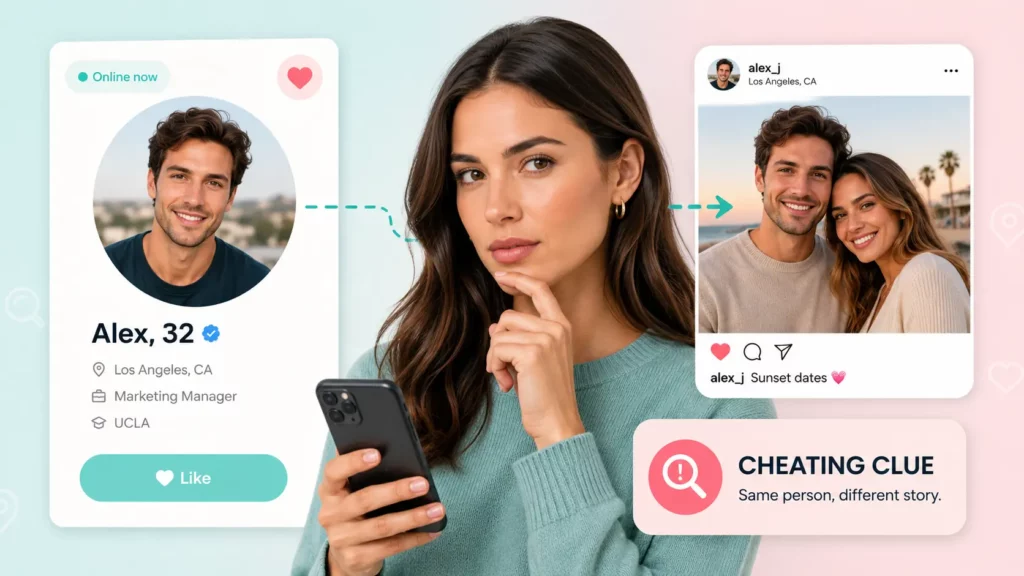
Romance scammers cost Americans $929 million in 2025 — and the average victim lost $40,126 before realising the person on the other end of the screen never existed.
Behind nearly every one of those cases is the same starting point: a stolen photo stitched into a convincing fake identity. The face looks real, the profile looks credible, and by the time something feels off, the emotional — or financial — damage is already done. What most people don’t know is that exposing a fake profile can take less than a minute. Upload the photo, and you can see every place that image — or that face — appears online. If it shows up under a different name, on a stock site, or across three different dating apps, the account is almost certainly not who it claims to be.
This guide covers exactly how to run that search, how to interpret the results, and what to do when basic image matching falls short — including how tools like Searqle use AI facial recognition to go from a single profile photo to a verified real-world identity in one private search.
Can Reverse Image Search Find a Catfish
Most catfish accounts rely on photos stolen from real people. The person behind the fake profile finds images on social media, modelling sites, or public profiles, then uses them to construct a believable persona. The critical weakness in this approach is that the same photo exists elsewhere online under a different name — and a reverse image search finds that connection in seconds.
When you upload a profile photo to a reverse image tool, it compares the image against billions of indexed web pages and returns every location where that photo or a visually similar one appears publicly. A real person’s photo, taken by them and used only by them, returns few or no outside matches. A stolen photo returns multiple matches across unrelated sites, often under completely different names.
That discrepancy is the core signal. A photo that appears on a Turkish modelling portfolio, a Russian social network, and a US dating app under three different names is not a real person using your contact. It is a fabricated profile built around someone else’s image.
How to Run a Reverse Image Search for Catfish Detection
One Photo Is All It Takes to Spot a Fake
Searqle uses AI facial recognition to trace a profile photo to every place that person appears online — across social media, dating apps, and public records — so you can tell a real person from a catfish.
Photo search • Stolen images • Fake profiles • Social accounts• Web matches
The process is straightforward regardless of which tool you use. The steps below work for any platform, with specific notes on what to look for in results.
Step-by-Step Search Process
- Save or screenshot the profile photo from the account you are checking. Use the clearest, most forward-facing image available — profile photos where the face is fully visible return the most accurate matches.
- Upload the photo to a search tool. You can upload an image file no account or app installation required. General-purpose tools like Google Images and TinEye cover the broadest range of indexed pages. Specialised identity tools like Searqle use AI facial recognition to cross-reference the image against social media accounts, dating app profiles, and public records, returning identity context that goes beyond simple URL matching.
- Review the results for any instances of the same photo — or the same face — under a different name, on a different platform, or in a clearly unrelated context such as a stock photo library.
- If results are ambiguous, try searching a second photo from the same profile. Catfish accounts typically reuse the same set of stolen images across platforms, so a second match under a different name confirms the pattern.
- If image search returns no useful results, move to a phone number or email lookup. Many catfish accounts are registered with real contact information that traces back to the actual person running the account, not the persona they present.
When you need both location and identity in one step, Searqle goes beyond where-does-this-photo-appear: the AI facial recognition engine identifies the person across different photos of the same face — accounting for changes in angle, lighting, hairstyle, or age — and feeds that match into a broader identity check that returns linked social media accounts, matching dating app profiles. Searches are completely private; the person you search is never notified. That combination reduces the need to switch between multiple tools and re-enter information across separate searches.
How to Read Reverse Image Results
Not every result that returns a match means the account is fake, and not every account that returns no match is genuine. Understanding what different outcomes actually indicate saves time and prevents wrong conclusions.
| Result | What It Indicates |
|---|---|
| Same photo, different name on another site | Strong signal of a fake or stolen photo — verify with a second image |
| Photo found only on stock image sites | Almost certainly a fabricated profile — real people do not use stock photos as profile pictures |
| Photo appears on one verified social media account | Likely genuine — check whether that account matches the story the person has told you |
| Photo appears on many unrelated sites and profiles | Stolen image used widely — the account is almost certainly not who it claims to be |
| No results returned | Photo may be original, taken recently, or not yet indexed — does not confirm the account is real |
| Photo returns matches but all under the same name | Consistent identity across platforms — positive signal, not conclusive alone |
| Face matched across different photos on dating apps | Strong catfish signal — the same person appears under different names on Tinder, Bumble, Hinge, or similar platforms |
A no-result outcome is the one most people misread. It does not confirm a real identity. A catfish who takes original photos, or who uses images that have not yet been indexed, will return zero results on a basic reverse image search. This is why image search works best as a first filter, not a final verdict.
Why Reverse Image Search Can Miss Catfish Photos
Basic reverse image search has real limits. Two situations in particular produce false negatives on standard tools — cases where an account is fake but pixel-matching returns nothing useful:
Unindexed photos: Photos posted recently, on platforms that block image indexing, or taken from private social accounts may not appear in search engine databases even if they are real stolen images.
Lightly edited images: Some catfish accounts apply basic filters, crops, or colour adjustments to stolen photos specifically to defeat reverse image detection. Altered images may not match the original in a pixel-level comparison.
Searqle’s AI facial recognition addresses both of these situations differently from standard tools. Because it identifies the face itself — not the pixel pattern of the file — it can match a cropped, filtered, or slightly altered version of a photo to its source, and it can identify the same person across entirely different photos taken at different times. It also flags visually similar and AI-altered versions of an image, which is useful for spotting deepfakes or manipulated profile pictures.
When image search falls short for any reason, a phone number or email lookup picks up where it leaves off. Most online accounts — even fake personas — are registered with real contact credentials that trace back to the actual person running them. A reverse phone or email search through Searqle matches that contact information against public records, breach databases, and online account signals, returning identity details that a photo alone cannot surface. The combination of AI photo search and identity lookup covers both routes a catfish investigation can take: the photo trail and the contact trail.
Other Signs a Profile May Be Fake
Reverse image search is the fastest technical check, but several behavioural and structural signals indicate a fake profile before you even run a search. These are not proof, but they are consistent patterns worth noting.
The account has very few photos, and all of them are professional-quality shots with perfect lighting and framing. Real people’s social profiles contain a mix of settings and image quality.
Profile photos show no tagged location data, no background context that could be verified, and no other people in the frame. Catfish accounts often avoid anything that could be cross-referenced.
The person avoids video calls entirely, claims their camera is always broken, or schedules calls and then cancels. Still photos are easy to steal; real-time video is not.
Their backstory contains details that cannot be easily verified — working overseas, in the military, on an oil rig — which conveniently explains why they cannot meet in person.
They escalate emotional connection unusually fast, expressing strong feelings within days of first contact, which creates attachment before you have had time to verify anything about them.
Any single signal here is weak. Several of them together, combined with a reverse image search that returns photos elsewhere under a different name, make a strong case.
How to Verify Someone’s Identity From a Photo
A thorough catfish check uses the photo as a starting point, not the whole investigation. Here is the full verification flow:
- Run the profile photo through a search tool to check for stolen or reused images and matching identities.
- If a match is found under a different name, search that name to confirm who the photo actually belongs to.
- If image search returns nothing conclusive, run the phone number or email address through a reverse lookup to trace the contact information to a real identity.
- Cross-reference the identity returned by the lookup against the story the person has told you: name, location, employer, and background.
- If details are inconsistent or the identity cannot be confirmed through any of these steps, treat the account as unverified and proceed with caution.
This five-step process covers the two independent trails a catfish investigation can follow. The photo trail catches stolen images. The contact trail catches fake personas built on real credentials. Running both eliminates most cases that either method alone would miss.
Comparing Catfish Search Tools
Several tools are used for reverse image catfish detection. They differ in whether they return only image matches or add identity context on top of the visual search. The table below compares Searqle against the most commonly used alternatives.
| Feature | Searqle | SocialCatfish | CatfishLens | Google Images |
|---|---|---|---|---|
| Reverse image / photo upload | Yes | Yes | Yes | Yes |
| AI facial recognition (not pixel-matching) | Yes | No | No | No |
| Match across different photos of same person | Yes | No | No | No |
| Dating app profile matching | Yes | Limited | No | No |
| Deepfake / AI-altered image detection | Yes | No | No | No |
| Phone number lookup | Yes | Yes | No | No |
| Email lookup | Yes | Yes | No | No |
| Identity & address records | Yes | Yes | No | No |
| Social profile discovery | Yes | Yes | Limited | Limited |
| Data breach exposure | Yes | Limited | No | No |
| Search is private (person not notified) | Yes | Yes | Yes | Yes |
| Single consolidated report | Yes | Yes | No | No |
Google Images and CatfishLens are useful for a fast first check of where a specific photo file appears publicly. They return location data based on pixel matching, not identity data. SocialCatfish and Searqle both extend beyond image matching into identity records and linked accounts. Searqle’s key differentiator is its AI facial recognition engine: rather than looking for the same image file, it identifies the same face across different photos, different platforms, and different names — including matches on dating apps like Tinder, Bumble, Hinge, and Badoo. It is the strongest option when the goal is to verify who the person actually is, not just confirm that a particular photo has been reused.
How to Find Out If Someone Is Using Your Photos to Catfish
Reverse image search works in both directions. If you suspect someone is using your photos to build a fake identity, you can run your own images through a search to find where they appear online.
The steps for checking your own photos are identical to checking someone else’s. Upload your image to a reverse image tool and review the results for any profiles, accounts, or pages where your photo appears under a different name or without your permission.
If you find your photos being used without consent, most platforms have a reporting mechanism for impersonation or identity theft. Document the fake profiles with screenshots before reporting, as accounts are sometimes deleted quickly once flagged. If the impersonation involves financial fraud or targeted harassment, contact local law enforcement, who in many jurisdictions treat this as a criminal matter.
Conclusion
Catching a catfish begins with the one thing they cannot hide: the photo. A basic reverse image search answers whether that specific image file has been used elsewhere. An AI facial recognition search goes further — it identifies the person behind the photo across different images, platforms, and names, and flags manipulated or AI-generated versions.
If you have a profile photo and need to verify whether the person is real, running it through Searqle checks in one private search: AI-powered face matching against social media, dating apps. That is the most complete answer available from a single starting point, without switching between multiple tools or running the same information twice.