
Trying to find someone on Hinge can be frustrating because the app doesn’t offer a traditional search bar. You can’t simply enter a person’s name, phone number, or username and pull up their profile — Hinge decides which profiles appear based on its discovery and matching system.
That doesn’t mean you’re completely out of options. If you’re trying to reconnect with someone, verify a new match, or check whether a person may have a dating profile, you can combine Hinge’s in-app filters with publicly available information and external search methods. Tools like Searqle let you search separately by phone number, email address, or photo to uncover available online information that may include social or dating profiles.
Below, we’ll cover the methods that can help you search for someone on Hinge, what you can try for free, and how to investigate further when Hinge’s own discovery tools aren’t enough.
Can You Find Someone on Hinge Without Matching
Hinge is built around algorithm-driven discovery instead of direct lookup. The app shows potential matches based on your stated preferences, location radius, and activity patterns — never by name, phone number, or username. Swipe left on someone and their profile can disappear from your feed entirely.
This is intentional. Removing a search function stops people from being tracked down by name, which protects users from harassment and unwanted contact. It also means there’s no legitimate “Hinge people search” built into the app itself — anyone offering one inside Hinge is misrepresenting how the platform works.
In-App Tricks to Try Before Anything Else
Before turning to outside tools, a few in-app adjustments can raise your odds of a specific profile appearing in your feed. None of them guarantee a result, since Hinge’s matching logic ultimately decides what you see.
- Narrow your filters. Set age range, distance, and any Hinge+ preference filters as close to the person’s known details as possible. A tighter filter set shrinks the pool of profiles the algorithm pulls from.
- Adjust your location. Hinge relies on a manually set location rather than continuous GPS tracking, so set your search location to match where the person lives or spends time.
- Check the Discover and Standouts feeds regularly. Standouts surfaces profiles with high recent engagement, which can include people who’ve been active lately.
- Review your Likes You list. If the person already liked your profile, a Hinge+ subscription lets you see that list directly instead of waiting to be shown a match.
These methods rely on chance. If the person isn’t nearby, isn’t active, or the algorithm simply doesn’t serve their profile, none of this will surface them — which is exactly why people look for a Hinge search option outside the app.
How to Find Someone on Hinge Without Matching Using Searqle
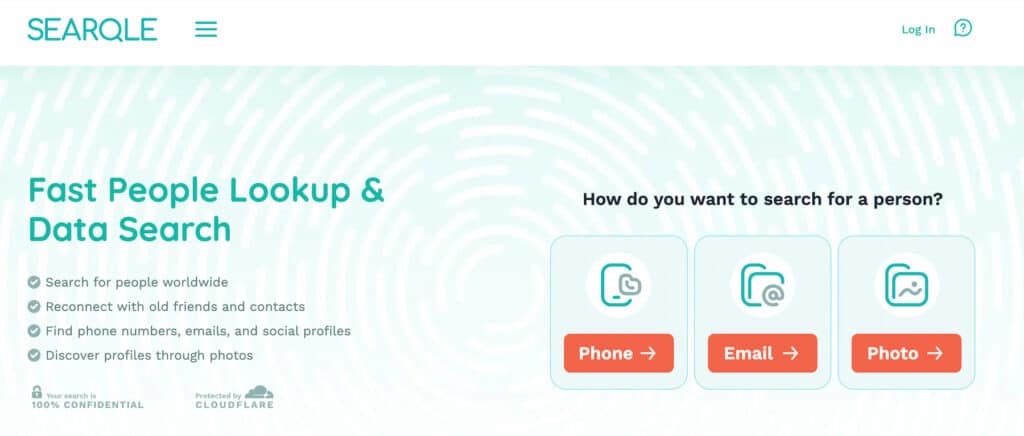
When in-app filtering doesn’t turn up anything, the next step for most people is a people search platform. Instead of waiting on Hinge’s algorithm, Searqle offers separate search methods based on the information you have. Phone and email lookups may uncover identity, contact, and online-profile information, while Photo Search can help find facial matches, image sources, and possible social or dating profiles.
Searqle works this way. If you have a phone number or email from a conversation, an online listing, or a mutual contact, you can run it through Searqle’s lookup instead of scrolling Hinge’s feed hoping the algorithm cooperates. If all you have is a photo, Photo Search uses facial recognition to look for matching images, image sources, and possible social or dating profiles across publicly available online sources.
How it works: Searqle searches available public and online sources based on the search method you choose. The type of information returned varies depending on whether you search by phone number, email address, or photo.
How to start:
- Go to Searqle and select whether you’re searching by phone number, email address, or photo.
- Enter the identifier you have and start the search.
- Review the available results. Phone and email lookups may include identity, contact, and online-profile information, while Photo Search may return facial matches, image sources, and possible online profiles.
A 7-day trial for €1.00 is available for anyone who wants to test a search before committing to a subscription.
Other Free Ways to Check If Someone Is on Hinge
Paid lookup tools aren’t the only option. A few free methods can rule things in or out, though each has a clear ceiling.
- The password-reset trick. Enter the person’s email or phone number on Hinge’s login page and select “Forgot Password.” If the account exists, Hinge sends a reset link — though a lack of email doesn’t fully rule out an account, since the notification could land in spam or the person might use a different address.
- Reverse image search. Uploading a known photo to Google Images, TinEye, or Bing can surface where else that image appears online. It won’t reach inside Hinge’s private database, but it can confirm whether a photo is authentic or lifted from someone else’s account entirely — useful if you suspect a fake dating profile rather than a hidden real one.
- Cross-referencing social media. Some Hinge users post prompt answers or match stories to Instagram or Reddit. Searching a name alongside “Hinge” on these platforms occasionally turns up a mention, though this depends entirely on the person having shared something publicly.
These free routes work best as a first check, not a final answer, since app-specific profile data simply isn’t indexed by search engines or accessible through a password reset alone.
Signs Someone You Know Might Be Active on a Dating App
If you’re trying to figure out whether someone close to you has a hidden Hinge profile, behavior patterns are often a more reliable starting point than any single search method.
- New or unexplained privacy on their phone, like a suddenly locked screen or cleared browser history.
- Dating-app notification sounds or app icons that disappear when you’re nearby.
- Increased secrecy around who they’re texting, especially late at night.
- Mentions of names or plans that don’t match what they’ve told you.
None of these confirm anything on their own — plenty of people change phone habits for unrelated reasons. They’re worth noting as context before you decide whether a phone, email, or photo lookup is the right next step.
Hinge Search Tools Compared
Several platforms offer a version of a “Hinge finder.” Here’s how the more commonly used ones stack up on the criteria that matter most for this specific task.
| Feature / Criteria | Searqle | Social Catfish | Spokeo | TruthFinder |
| Search by phone number | Yes | Yes | Yes | Yes |
| Search by email address | Yes | Yes | Yes | Limited |
| Reverse photo search | Yes | Yes | Not available | Not available |
| Report includes dating/social profile signals | Yes | Yes | Limited | Limited |
| Low-cost trial before subscribing | Yes (€1.00 / 7 days) | Varies by promotion | Varies by promotion | Varies by promotion |
| Credit-based pricing (pay for what you use) | Yes | No — flat report fee | No — flat report fee | No — flat report fee |
Searqle fits best for anyone who wants to run more than one search without committing to a full background-check subscription upfront — the credit system means a weekly or monthly plan covers several lookups instead of paying per report. It’s a reasonable starting point whether you’re verifying a match’s identity before meeting up, checking a suspicious phone number, or confirming whether a photo belongs to who it claims to.
Is It Legal to Search for Someone on Hinge?
Searching for someone using publicly available information — a phone number, an email address, or a photo that’s already visible online — is generally legal in the US. People search platforms compile data from public records and publicly shared profiles rather than hacking into private accounts.
What isn’t legal or ethical is accessing someone’s private accounts without permission, using stalking apps installed without consent, or using search results to harass, threaten, or intimidate anyone. If your goal is confirming an online date’s identity or checking whether a profile photo is real, a public data lookup stays well within reasonable use. If the goal shifts toward monitoring another adult’s private communications without their knowledge, that’s a different category entirely, and most jurisdictions treat covert surveillance of another person’s device as illegal regardless of the relationship.
FAQ: Hinge Search Questions
No. Hinge has no built-in name search. A name alone typically isn’t enough for an external lookup either — pairing it with a phone number, email, or photo gets far better results.
Run the number through a phone-based people search tool. If the number is tied to a dating profile or other public account, it should surface in the report.
Yes, if you use an external lookup tool. Browsing Hinge’s actual in-app feed requires creating a profile, but a phone, email, or photo search doesn’t.
Free methods exist — the password-reset check and reverse image search — but they’re limited compared to a dedicated people search platform, which pulls from a much wider range of public data sources.
Conclusion
Hinge’s algorithm was built to make direct searches hard, and none of the in-app filter tricks change that in any reliable way. Free methods like the password-reset check or a reverse image search can rule a few things in or out, but they stop short of a full picture.
When in-app methods aren’t enough, searching the phone number, email address, or photo you have through Searqle can provide additional information to compare against what you already know.


