
A photo is often all you have. Maybe it’s a profile picture from a dating app, a screenshot someone sent you, or an old image of a person you lost touch with. Whatever the reason, running a photo through the right search can tell you where else that face appears online — and whether the person behind it is who they claim to be.
This guide walks through the free tools worth trying first, a dedicated identity-search option for when those come up empty, and the safety and legal basics that apply either way.
Why You’d Want to Find Social Media Accounts by Photo
Three situations come up most often. First, verifying someone you met online: dating profiles are a common target for stolen photos, and a quick search can confirm whether the picture belongs to the person messaging you. Second, checking an unfamiliar contact: if a stranger reaches out on social media or messaging apps, a photo search can surface their real accounts and history. Third, reconnecting: sometimes the only lead on an old friend or family member is a photo from years ago, and image search can bridge the gap that a name search can’t.
Identity theft involving stolen photos is not a rare edge case. Fake profiles built from cloned pictures show up across dating apps and social platforms every day, and the person in the photo is usually a real, unrelated individual who has no idea their image is being used.
Reverse Image Search vs. Facial Recognition Search: What’s the Difference
These two terms get used interchangeably, but they work differently, and knowing the difference changes which tool you reach for.
A standard reverse image search compares the actual image file — the pixels — against other files on the web. It’s excellent at finding an exact copy of a photo, which makes it useful for tracing memes, stock photos, or artwork. Its weakness: if someone crops the image, applies a filter, or uses a slightly different photo of the same person, a pixel-matching tool often returns nothing.
A facial recognition search works differently. It maps the geometry of a face — the distance between the eyes, the jawline, the shape of the nose — and looks for that same geometry across different photos, angles, and lighting conditions. This is what lets you connect a professional headshot on LinkedIn to a casual vacation photo on Instagram, even though the files themselves are completely different.
If you’re specifically trying to find social media accounts by photo rather than trace a single image file, facial recognition search is the more relevant tool for the job.
Method 1: Google Images / Google Lens
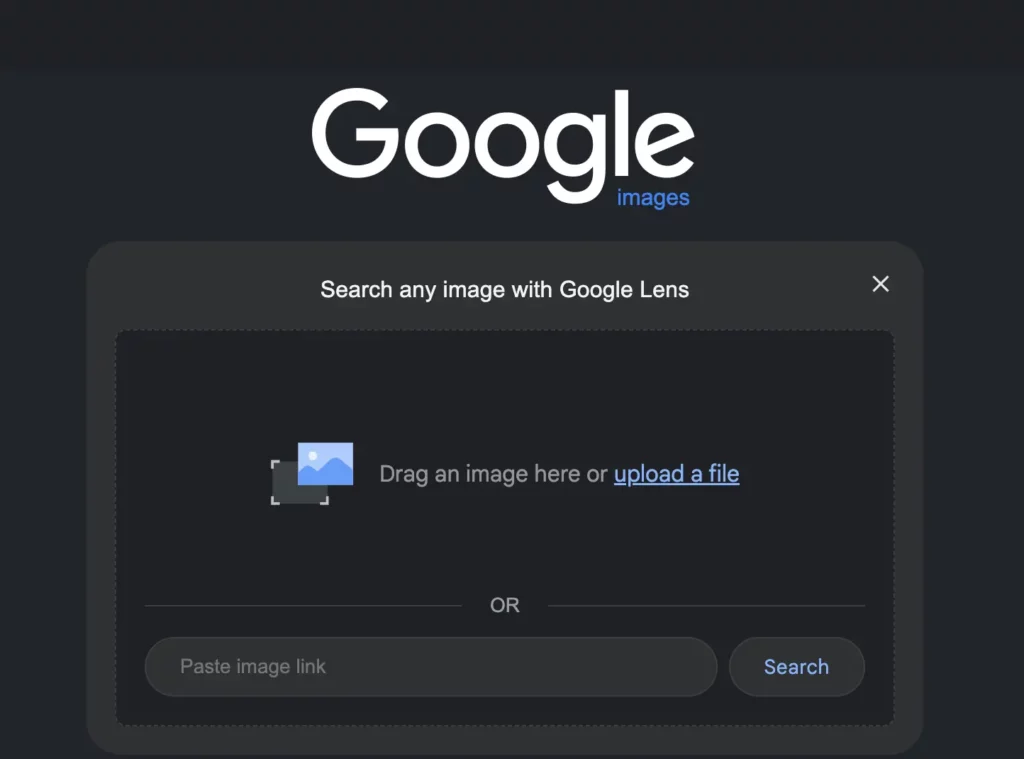
Google’s reverse image search is free and usually the first stop.
- Go to images.google.com on desktop, or open the Google app and tap the camera icon for Lens on mobile.
- Upload the photo or drag it into the search bar.
- Review the “visually similar images” and any matching pages Google returns.
This method works well when a photo has been publicly indexed — for instance, if it’s attached to a public Instagram or Facebook profile that Google has crawled. It works poorly on private profiles, dating apps, and any platform that blocks search engine indexing, which describes most dating sites and a large share of social media content.
Method 2: TinEye

TinEye is a dedicated reverse image search engine built for exact-file matching.
- Go to tineye.com.
- Upload the image or paste its URL.
- Browse the list of exact and near-exact matches, sorted by where the image was first seen online.
TinEye is strong for tracking down the original source of a photo — useful if you suspect an image was stolen from a stock site or another profile. It shares Google’s core limitation: it’s matching files, not faces, so cropped or edited versions of the same photo can slip past it.
Method 3: Searqle’s Photo Search

When Google Images and TinEye come back empty — which happens often with dating profiles and private social accounts — a dedicated photo lookup tool picks up where general search engines stop.
How it works: Searqle’s photo search uses facial recognition to compare an uploaded image against public profile pictures, dating profiles, and web content, rather than matching the image file itself. Because it’s built specifically for people-search use cases, it can surface associated social profiles, dating profiles, press or community mentions, and the photo’s source history in one report, instead of just a list of pages where a file appears.
How to start:
- Go to searqle.io and select the photo search option.
- Upload a clear, front-facing photo of the person you’re checking.
- Review the preliminary results, then unlock the full report — which can include linked social profiles, dating profiles, and the places the photo has appeared online — through one of Searqle’s subscription plans.
This is the point in the process where a phone or email lookup can be run alongside the photo, since Searqle handles all three from the same account — useful if you have a partial detail (a number, an email) in addition to the picture.
Method 4: Yandex Reverse Image Search
Yandex, the Russian search engine, has built a reputation for facial-recognition-style matching that often outperforms Google for finding people rather than files.
- Go to yandex.com/images.
- Click the camera icon and upload the photo.
- Review the results — Yandex tends to surface visually similar faces even when the exact file has never appeared online before.
It’s free and worth trying as a second opinion after Google, particularly for photos where the first search came up empty.
Tips to Improve Your Match Rate
- Use a clear, front-facing photo whenever possible. Side angles and obscured faces reduce match accuracy across every tool.
- Crop out backgrounds, other people, and text overlays so the search focuses on the one face you’re checking.
- If you have more than one photo of the same person, run each one separately — different angles can surface different matches.
- Try more than one tool. Google, TinEye, Yandex, and a dedicated service each index different corners of the internet, so a miss on one doesn’t mean a miss everywhere.
- Screenshots from video calls work when a static photo isn’t available; extract a still frame with the face clearly visible.
Searqle vs. Other Photo Search Tools
| Feature / Criteria | Searqle | Social Catfish | FootprintIQ |
|---|---|---|---|
| Photo, phone, and email search in one tool | Yes | Yes | Limited |
| Free preliminary results before paying | Yes | Yes | Limited |
| Dating profile search included | Yes | Yes | Not available |
| Trial pricing under €5 | Yes ($1 / 7 days) | No | No |
| Report includes web and press mentions | Yes | Yes | Not available |
Searqle fits well for anyone who wants to check a photo alongside other details — a number or email — from a single account rather than juggling separate tools, and the low-cost trial makes it reasonable to test before committing to a subscription.
Why Choose Searqle for a Photo Search
What sets Searqle apart from a single-purpose reverse image tool is that it doesn’t stop at “where does this photo appear.” Because the platform cross-references photo matches against social networks, dating sites, and web content, a search can return a fuller picture — associated social accounts, dating profiles, press or forum mentions, and the photo’s source history — from one upload, rather than requiring a separate lookup for each data point.
Searqle is the stronger choice when you already suspect something is off and want more than a list of matching web pages — for example, verifying a dating match, checking a new online contact, or confirming a suspicious message sender. It’s a weaker fit if you’re simply trying to trace where a meme or stock photo originated, which is a job general tools like TinEye handle for free.
It’s most useful for individuals doing personal due diligence: people navigating online dating, parents checking an unfamiliar contact reaching out to a child’s account, or anyone who has received a suspicious friend request and wants to confirm who’s actually behind it.
Is It Legal to Search Someone by Photo?
Searching a photo against publicly available information is generally legal in the US and most jurisdictions, since the results draw from public records and publicly posted content rather than private data. That said, legality doesn’t mean unlimited use. Using photo search results to stalk, harass, or make decisions covered by laws like the Fair Credit Reporting Act — employment, tenant screening, credit decisions — falls outside what these tools are built or licensed for.
The practical guideline: use a photo search to verify who you’re already in contact with or to protect yourself from a suspected scam, not to track someone who hasn’t engaged with you.
FAQ
Yes, in many cases. Facial recognition-based tools can match a photo to social profiles even when the exact image file has never been searched before, though results depend on how much of that person’s photo history is public.
Google Images, Google Lens, TinEye, and Yandex are all free and worth trying first. They work best on photos that have been publicly posted and indexed; private profiles and dating apps are harder to reach with free tools alone.
Common causes include a photo that’s never been posted publicly, a private account, heavy filtering or AI generation, or a platform that blocks search engine indexing — which applies to most dating apps.
Run the photo through Google Images first, since public Instagram profiles are sometimes indexed. If that returns nothing, a dedicated facial recognition search tool can check social platforms directly, including profiles that Google doesn’t reach.
Conclusion
Start with the free options — Google Images, TinEye, and Yandex all take a couple of minutes and cost nothing. If the photo belongs to a private account, a dating profile, or simply hasn’t been indexed anywhere, that’s the point to run it through Searqle, since its photo search is built specifically to reach the platforms general search engines miss, and it can tie the image to social profiles, dating profiles, and web mentions in a single report.
More Helpful Articles
If you’re trying to verify someone’s identity from more than just a photo, these related guides cover the other pieces of the puzzle:
Find Social Media Accounts by Email — If you have an email address instead of, or in addition to, a photo, this guide walks through how to trace it back to the social profiles and accounts linked to it.
Free Social Media Search by Number — Covers how to run a reverse phone lookup to uncover the social media accounts, name, and other public records tied to a phone number, including which free methods to try before paying for a full report.


